
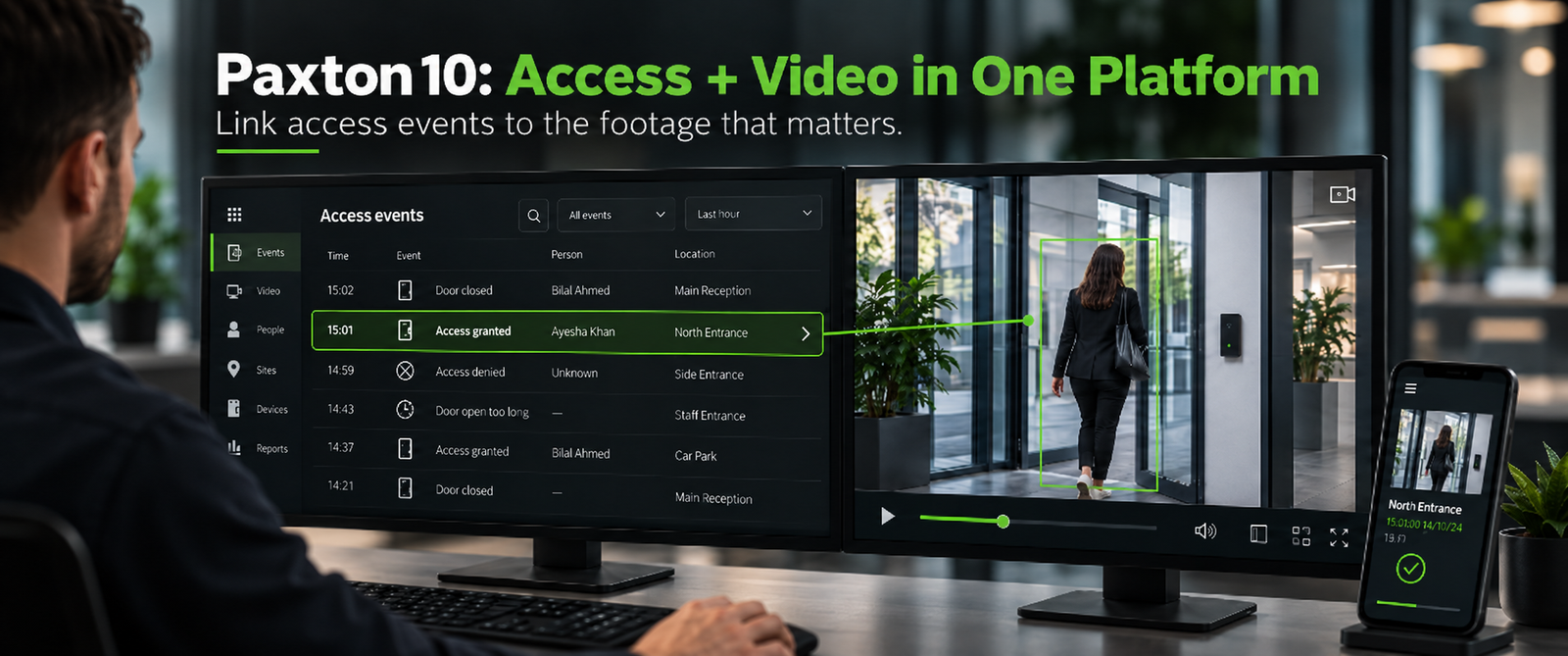
Paxton10 access control and video can answer a question that access logs alone often cannot: what actually happened at the door?
An event log may tell you that a credential was accepted at 14:37. However, that record only confirms what the system processed.
It does not show whether the correct person presented the credential, whether someone followed them through the door, or what happened immediately afterwards.
That difference matters because customers rarely investigate an incident by asking only:
“Was access granted?”
Instead, they want context.
Why Paxton10 access control and video belong in the same conversation
When we design an access-control system, we naturally discuss doors, readers, credentials, permissions and schedules.
Yet the conversation often stops there.
Later, an incident happens.
Then the customer opens the access-control system to find the event and opens a separate video system to find the matching footage. They compare timestamps, locate the correct camera and work backwards to understand the sequence.
That process may work. However, it also creates extra steps at the exact moment when the customer wants a clear answer.
Paxton10 takes a different approach.
It combines access control and video management in one platform, so users can link video footage to access events and review the relevant footage from the same environment.
As a result, the event becomes more than a line in a log. It gains visual context.
Access granted does not always mean the question is answered
Consider a simple example.
A door event shows:
ACCESS GRANTED — 14:37
From an access-control point of view, the event looks normal.
But what if the customer is investigating something that happened inside the building a few minutes later?
Now the questions change.
Who actually entered?
Did another person follow through the door?
Was the door held open?
Which direction did the person go next?
Therefore, the value of video is not simply that cameras are present.
The value comes from how quickly the operator can connect the access event to the relevant visual evidence.
How Paxton10 access control and video can simplify event investigation
Paxton10 allows video to sit alongside access events rather than operate as a completely separate security island.
Users can view live or recorded video, associate cameras with devices and open footage linked to an event. In addition, the platform supports event reports, site plans and dashboards that bring security information together.
This changes the investigation workflow.
Instead of starting with one system and then searching another, the operator can begin with the access event and move directly towards the related footage.
Consequently, the system can help reduce the time spent manually matching doors, timestamps and cameras.
For a system integrator, that is an important design discussion because the customer does not only buy equipment.
The customer also buys the experience of operating the system after handover.
Think beyond the installation day
Many access-control quotations focus heavily on installation requirements:
How many doors?
Which readers?
Whose credentials?
Which controllers?
What cabling do we need?
Those questions matter.
However, another question deserves equal attention:
How will the customer investigate an event six months after handover?
If the customer manages several buildings or sites, that question becomes even more important.
Paxton10 supports remote access and multi-site management through its web-based interface. Therefore, an authorised user can manage access and video from a central interface rather than treating every site as an isolated system.
This is where system design starts to move beyond hardware selection.
Designing Paxton10 access control and video around the operator
A good security design should consider the person who will use it every day.
For example, a facilities manager may need to check why a door opened outside normal hours.
A security operator may need to review movement around a restricted area.
Meanwhile, a system administrator may need to manage several sites remotely.
Each person needs information. However, they do not necessarily need more complexity.
Therefore, bringing access events and video together can make the system easier to understand during normal operations and much more useful when something needs investigation.
Paxton10 access control and video: one question before handover
When you are designing an access-control project today, ask one question about tomorrow:
If the customer needs to investigate an access event, how quickly can they understand what actually happened?
That question may influence the platform, the camera coverage, the event workflow and even how you demonstrate the system during handover.
Because in the end, recording an access event is useful.
Understanding it is better.
About CST Pulse
CST Pulse is the technology insight platform of Core Solutions & Technologies, covering practical ICT and ELV topics for system integrators and technology partners across Middle East & Africa.
Bring your next project to the table.
Talk to CST about this technology or application.