
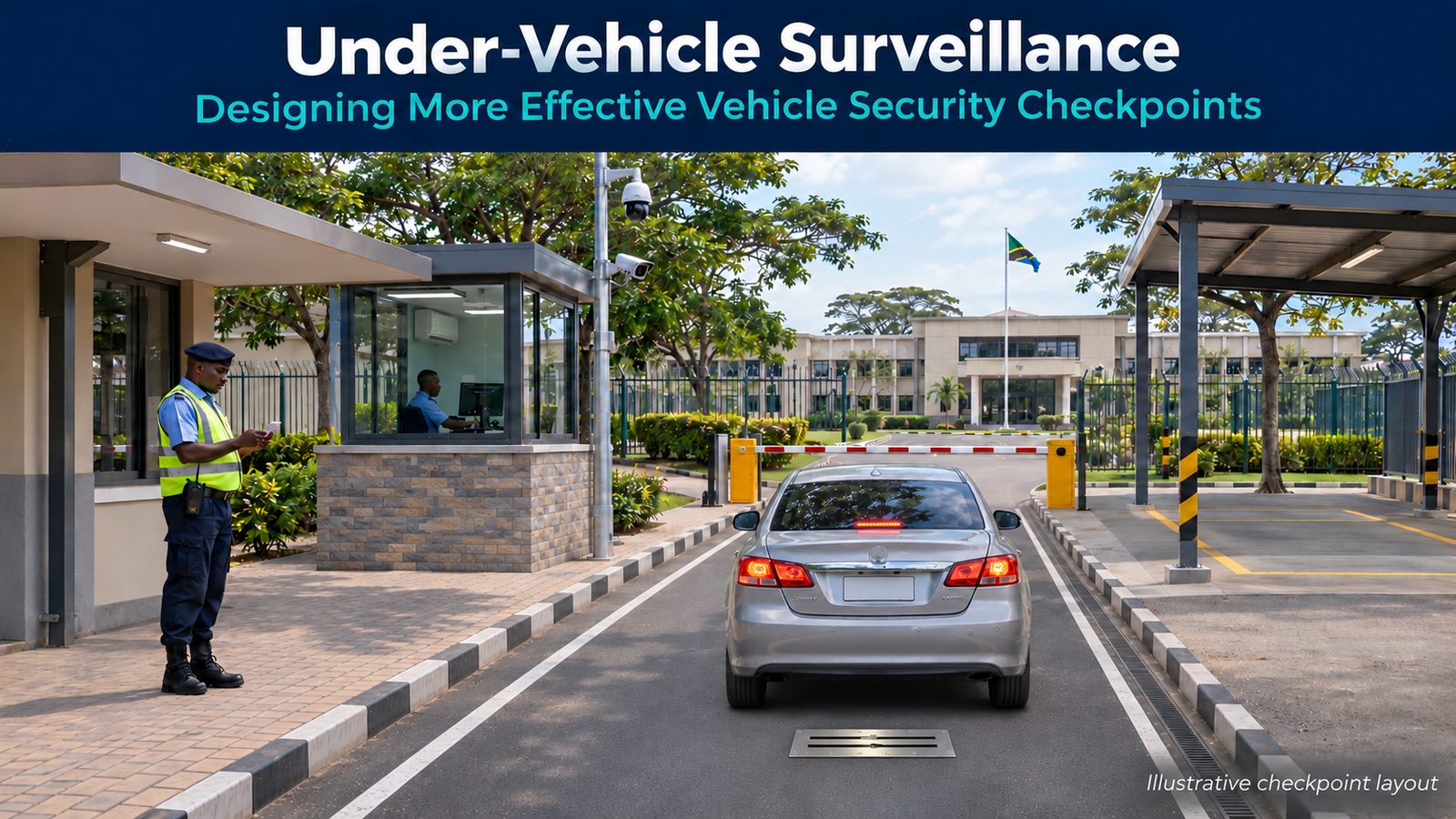
Under-vehicle surveillance helps security teams inspect a part of an arriving vehicle that driver checks and number plate recognition cannot reveal. However, its value depends on how the checkpoint captures images, supports operator review and handles exceptions.
A familiar driver may arrive with an expected delivery and valid entry permission. Nevertheless, those checks do not establish the condition of the vehicle’s underside.
For sensitive facilities, the design should therefore connect vehicle identification, undercarriage inspection and entry decisions within a clear operational workflow.
What under-vehicle surveillance does
An Under-Vehicle Surveillance System (UVSS) uses optical imaging equipment to capture views of a vehicle’s underside as it passes over the inspection unit. Operators then review the available imagery through the system’s software.
Depending on the selected model and configuration, the system may also support image storage, retrieval and association with vehicle information. However, the SI must confirm those functions against the proposed equipment and software.
UVSS supports visual inspection of the undercarriage. It does not see through the vehicle body or establish what every enclosed compartment contains.
Consequently, security teams should treat it as one part of their screening process, alongside other checks that the site’s risk assessment requires.
Why undercarriage inspection matters
The underside of a vehicle sits outside the normal view of officers checking a driver, delivery document or number plate. As a result, identity checks alone leave an inspection gap where the site requires undercarriage screening.
UVSS gives operators imagery to examine for unfamiliar objects, unusual attachments or visible changes that warrant further investigation. However, an unfamiliar shape does not automatically indicate a threat.
Vehicle designs differ, and legitimate repairs or accessories can change their appearance. Therefore, trained personnel need a defined method for reviewing images and escalating uncertainty.
Where suitable records and software functions exist, staff can also consult previous images. Even then, they must confirm that the record belongs to the correct vehicle and remains a useful comparison.
Design the under-vehicle surveillance workflow first
Before selecting equipment, agree how vehicles will move through the checkpoint and who will make each decision.
1. Establish the arrival record
First, staff check the driver, visit purpose and relevant permissions. ANPR can support number plate capture, while CCTV provides a wider view of the vehicle and surrounding activity.
However, a plate reading alone should not substitute for the site’s authorisation process. Operators also need a procedure for unreadable plates, mismatched details and unexpected arrivals.
2. Position the vehicle for imaging
Next, clear lane markings and instructions guide the driver over the imaging unit. The lane must support the alignment, clearance and movement conditions that the selected system requires.
For example, a tight turn immediately before the scanner may make consistent positioning difficult. Similarly, a holding point too close to the scanner may prevent a long vehicle from completing its passage.
3. Review image quality and inspection information
After capture, the operator checks whether the image provides a usable view before assessing its contents. If coverage is incomplete or contamination obscures important detail, staff follow the agreed rescan or alternative inspection procedure.
Meanwhile, the workflow should associate the image with the correct arrival. Time, lane, plate information and operator checks can help prevent confusion between closely spaced vehicles.
4. Resolve exceptions before release
Finally, the authorised person decides whether the vehicle can proceed or needs further attention. Define who can request secondary inspection, contact a supervisor and approve release.
For a potential security incident, staff must follow the site’s response procedure. Routine image-quality issues and suspected threats require different responses.
Site planning for under-vehicle surveillance
A suitable scanner still needs a workable installation environment. Therefore, the site survey should cover the entire inspection lane.
Vehicle mix and geometry. Check cars, vans, buses, trucks and trailers against the proposed system’s supported dimensions and operating conditions. Also allow enough space for turning, queuing and full passage over the imaging point.
Road surface and civil works. Confirm mounting details, structural requirements, drainage and cable routes with the manufacturer. In addition, assess water pooling, dust, mud and debris around the optical area.
Power and communications. Establish power quality, backup requirements, earthing, surge protection and network connectivity. Where equipment relies on local workstations or servers, confirm their current supported specifications.
Operator position. Provide a protected working location with suitable screen visibility and communications. Moreover, keep personnel routes clear of vehicle movement.
Maintenance access. Plan safe cleaning and servicing without exposing technicians to live traffic. A weather-resistance rating does not remove the need for drainage or optical maintenance.
Queue and exception space. Allow for the time that people need to review images. Otherwise, a fast capture process can still create a slow checkpoint.
Where practical, provide a separate area for routine secondary inspection. However, the site’s security response plan must determine how personnel handle a suspected threat.
Connect UVSS, ANPR, CCTV and security operations
Each subsystem answers a different operational question.
- ANPR: What number plate did the camera capture?
- UVSS: What does the available undercarriage imagery show?
- CCTV: What happened around the vehicle and checkpoint?
- Access control system: What permissions apply to the arrival?
- Entrance management equipment: How does the checkpoint regulate physical passage?
Together, these inputs can support a more informed inspection decision. However, installing them beside one another does not automatically create a coordinated system.
For projects that need a shared operational workflow, an Integrated Command & Control Platform (e.g. PSIM) could coordinate relevant events, records and operator actions.
Before committing to integration, verify the available interfaces, software versions, licenses, event information and permitted commands. Also confirm whether each connection supports viewing, record retrieval, event reporting or equipment control.
For example, receiving an event does not necessarily provide access to its associated image. Likewise, displaying barrier status does not establish permission to operate the barrier.
Consequently, the integration scope should define each required interaction and its acceptance test.
Illustrative case study: an industrial delivery checkpoint
Consider a delivery van arriving at a sensitive industrial facility. This example illustrates a proposed workflow, not an existing customer deployment.
First, the officer checks the driver’s credentials and delivery booking. The number plate capture supports the arrival record, while CCTV records the vehicle’s approach.
Next, the driver follows lane instructions and passes over the under-vehicle imaging unit. The vehicle then waits at the designated holding point after completing the scan.
The operator checks the image quality and reviews the underside. In this example, one area requires clarification, so the operator contacts the supervisor instead of approving entry.
The supervisor follows the site’s procedure to determine the next action. If the issue concerns image quality, staff may repeat the capture; if it raises a security concern, they activate the appropriate response.
Finally, staff record the decision and supporting information before closing the inspection. The value comes from connecting the evidence to an accountable action.
Technology Focus: Vantage Under-Vehicle Surveillance Systems
Vantage’s published UVSS range includes fixed and portable options for different checkpoint requirements.
For example, its VV-VM2300UV-PS16 product information describes digital line-scan imaging, real-time undercarriage image display and UVSS management software. It also lists optional ANPR integration for vehicle identification.
These functions provide a starting point for equipment discussions. However, they do not establish that every Vantage model offers the same capabilities or that any third-party platform can connect without engineering work.
For a permanent checkpoint, assess civil works, vehicle movement and maintenance access alongside imaging requirements. For a temporary location, also assess deployment, positioning and cable protection.
In either case, select the proposed model around the operating environment, vehicle mix and review process. Then confirm the current configuration and integration prerequisites with the vendor.
Practical SI checklist for under-vehicle surveillance
Before finalising the proposal, confirm:
- Screening objective: What must the security team inspect, and what other checks remain necessary?
- Vehicle profile: What vehicle dimensions, clearances, loads and arrival patterns must the lane accommodate?
- Layout: Can vehicles align, complete the scan and wait without blocking the imaging point?
- Installation prerequisites: Who provides civil works, drainage, power, network connectivity and protected cabling?
- Image acceptance: What constitutes usable coverage, and how will the team verify it with representative vehicles?
- Operator workflow: Who reviews images, resolves uncertainty, approves release and records the outcome?
- Interfaces: What information and commands must each subsystem exchange, and what documentation supports them?
- Records: How will the system associate arrivals, control access, retain images and support authorised retrieval?
- Failure procedures: What happens during scanner, workstation, network or power failure?
- Handover: Who provides training, maintenance instructions, escalation contacts and acceptance records?
Additionally, test the complete workflow under realistic conditions before handover. Include poor images, identification mismatches, unavailable interfaces and supervisor escalation alongside normal arrivals.
Turn inspection information into a clear decision
An effective checkpoint needs more than a recognised number plate and an undercarriage image. It needs people, equipment and procedures that work together.
Under-vehicle surveillance contributes most when the design gives operators usable information, enough review time and a clear next action.
CST can support partners with Vantage UVSS selection. In addition, our Projects & Services team can assist local SIs with requirements gathering, end-customer and vendor coordination, integration prerequisites and engineering support.
Share your lane layout, vehicle mix and operational requirements with CST so we can help develop the checkpoint approach.
About CST Pulse
CST Pulse is the technology insight platform of Core Solutions & Technologies, covering practical ICT and ELV topics for system integrators and technology partners across Middle East & Africa.
Bring your next project to the table.
Talk to CST about this technology or application.